86 HTML - Ordered Lists
Ordered Lists
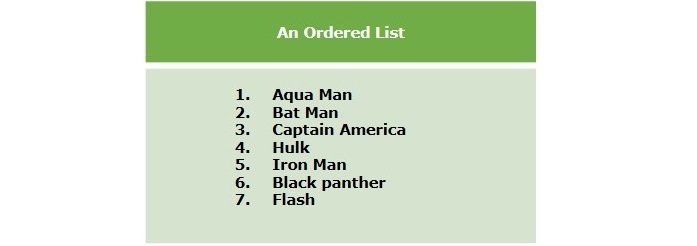
An ordered list is used to display a collection of items that have a specific order or sequence. For instance, we can use an ordered list to show the steps of a recipe, the ranking of a leaderboard, or the chronological order of events as shown in the below figure:
Creating Ordered Lists
To create an ordered list in HTML, we use the <ol> tag and nest <li> tags inside it. Each <li> element represents one item in the list. The numbering starts with 1 and is incremented by one for each successive ordered list element tagged with <li>. Like an unordered list, it also allows us to change the numbering style using the type attribute of the <ol> element.
Example
The following example demonstrates creating ordered lists in HTML:
If you click on Edit & Run the above example displays an ordered list.
Ordered List - type Attribute
The type attribute for the <ol> tag is used to specify the type of marker for the ordered list in HTML. By default, the type of list numbering is numbers starting with 1, 2, 3, and so on. You can change the type of numbers by using any of the values given below:
| S.No | Value & Description |
|---|---|
| 1 | 1 It is the default type of marker. |
| 2 | I List items will be displayed with roman number marker. |
| 3 | A It will set the marker to upper case alphabets. |
| 4 | a It sets the marker to lower case alphabets. |
Example
In the following example, we are using all values of the type attribute:
The above example displays four ordered lists with counting numbers, roman numbers, and alphabets.
Ordered List - start Attribute
By default, the numbering starts with 1, but you can change it by using the start attribute with the <ol> tag. The style attribute defines the starting numbers of the ordered list.
Syntax
The following are the different syntaxes (use cases) to define number types and the initial (starting) number for the ordered list:
<ol type="1" start="4"> - Numerals starts with 4.
<ol type="I" start="4"> - Numerals starts with IV.
<ol type="i" start="4"> - Numerals starts with iv.
<ol type="a" start="4"> - Letters starts with d.
<ol type="A" start="4"> - Letters starts with D.
Example
Following is an example where we used <ol type="i" start="4" >:
Styling Ordered List
Styling ordered lists with CSS allows customization of the appearance to match the design preferences of a website. The CSS styles can target both the list itself (<ol>) and the list items (<li>).
Example
Below is the program example that includes all the CSS styling for ordered list:
The program creates a styled HTML document with ordered lists. It includes basic styling, changes numbering styles to Roman and letters, adds counters to items, and changes text color on hover.
Nested Ordered Lists
HTML allows nesting of lists; you can create nested ordered lists to display a list of items inside an item of the outer list element.
Note: You can also change the type of outer or inner lists. In the below example, the main list has decimal numbers, the list of the second list item has lowercase roman numbers, and the list of the third list item has uppercase roman numbers. You can also define the starting number as per your requirement.
Example
The following example deonstartes the use of nested ordered lists:

Comments
Post a Comment