85 HTML - Unordered Lists
Unordered Lists
An unordered list is used to display a collection of related items that do not have a specific order or sequence. This type of list is used for describing a particular service or product, as it does not require any order to be followed. The below figure shows an ordered list of groceries.
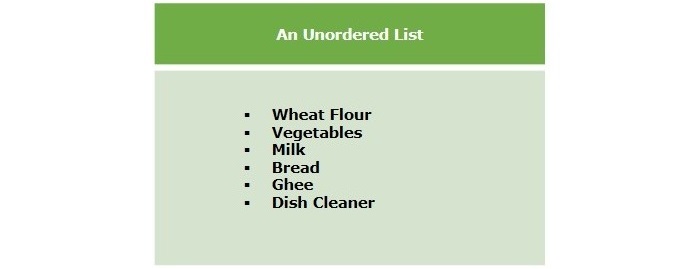
Creating Unordered Lists
To create an unordered list in HTML, we use the <ul> tag and nest <li> tags inside it. Each <li> element represents one item in the list. By default, the browser will automatically display disc bullet points for each item. However, we can change this bullet style using the type attribute on the <ul> element.
Example
The following example demonstrates how to create an unordered list in HTML:
The above example displays an unordered list with default disc bullets.
Unordered List - type Attribute
The type attribute for the <ul> tag is used to specify the type of bullet for the unordered list in HTML. By default, disc bullet type is used. But we can change this with the help of the following options:
| S.No | Value & Description |
|---|---|
| 1 | disc It is the default type of marker. |
| 2 | square List items will be displayed with a square marker. |
| 3 | circle It will set the marker to a hollow circle. |
Example
The following example illustrates different types of unordered list in HTML:
The above example displays three unordered lists with default disc bullets, square and hollow circular bullets.
Unordered List Without Bullets
You can also display the list items of an unordered list without showing the bullets. To display an unordered list without bullets, define the "none" to the list-style-type property.
Syntax
Following is the syntax to create an unordered list without bullets in HTML:
<ul style="list-style-type: none">
   <li>Item in list...</li>
   <li>Item in list...</li>
   <li>Item in list...</li>
</ul>
Example
Given below is an example of creating an unordered list without bullets in HTML:
The above program creates an unordered list that contains elements Abdul, Jason, and Yadav without bullets.
Styling Unordered Lists
Styling an unordered list (<ul>) using CSS allows for customization of the list's appearance, including modifying bullet points, spacing, and overall design.
Example
Below is the program example:
The above program styles an unordered list with a square bullet. Each list item has a background color, border, and padding, creating a distinct card-like appearance. The items are separated by a margin, and hovering over an item triggers a smooth background color transition.
Nested Unordered Lists
HTML allows nesting of lists; you can create nested unordered lists to display a list of items inside an item of the outer list element.
Example
The following example deonstartes the use of nested unordered lists:

Comments
Post a Comment